
Use the Breakpoints editing interface to configure project‑wide breakpoints.
What you can do
- Edit existing breakpoints: rename and adjust widths.
- Add custom breakpoints: tailor for wide tablets, large desktops, or ultra‑wide.
- Remove breakpoints you don’t need to keep the UI lean.
Note: Mobile and Tablet breakpoints cannot be deleted.
How to
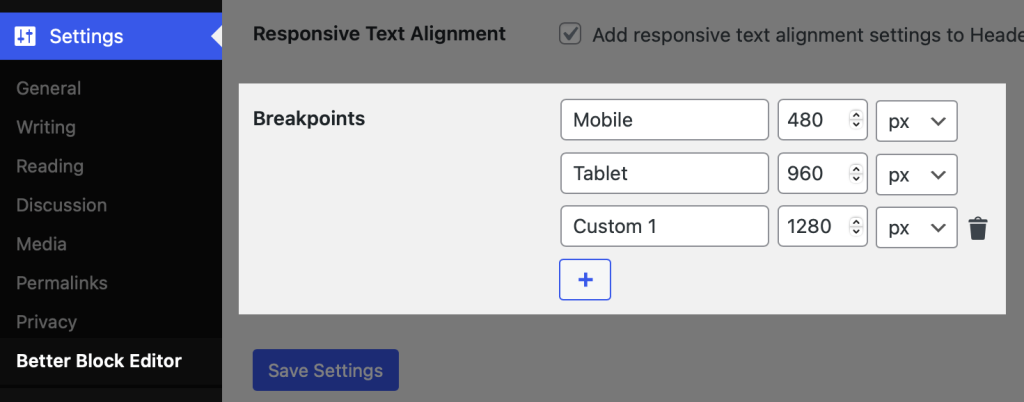
- Open the Settings → Better Block Editor and scroll to Breakpoints section.
- Add, edit, or remove breakpoints.
- Save. Changes become available in all BBE responsive controls.
Best practice: Keep your set small and meaningful (e.g., “Mobile”, “Tablet”, “Desktop”). Fewer breakpoints = faster, clearer decisions.